
Unlock CLI & Automation Support, Light Sensor Integration, XDR & HDR Extra Brightness, And Virtual Display — All From One Powerful MacOS Menu Bar App.
Download BetterDisplay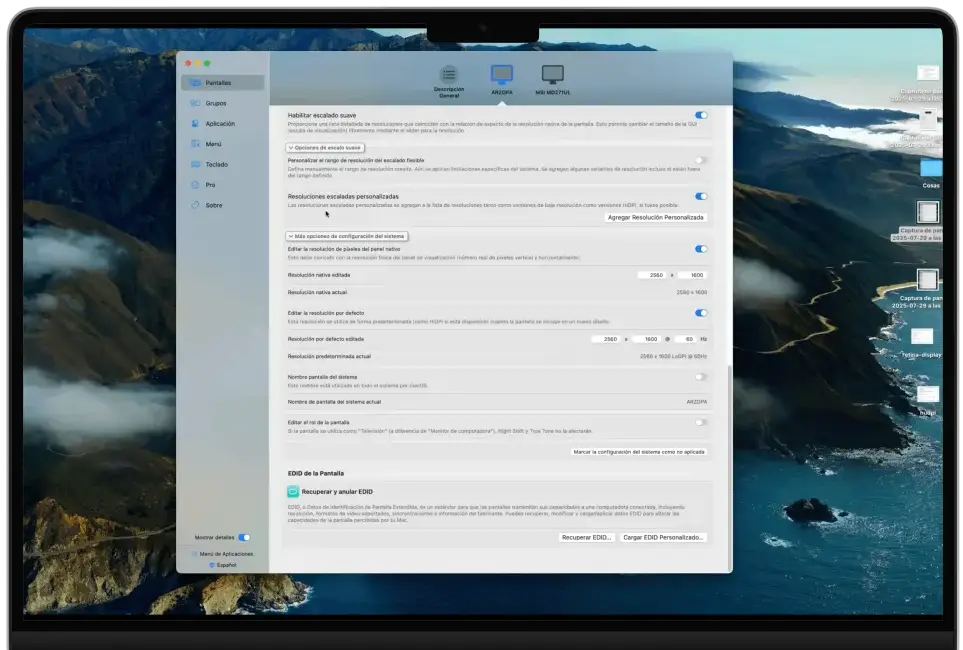
MacOS Limits How Much Control You Have Over Your Screens
Especially When Using External Monitors.

Text control display settings using commands or scripts.
Adjust the brightness of your system by detecting the surrounding lights.
Compatible with XDR and HDR displays

Suitable for remote work, screen mirroring, or multi-display setups.
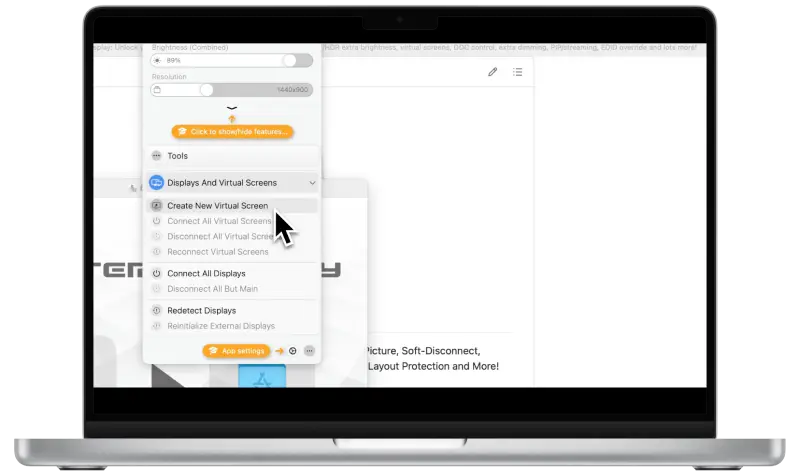
You know your display can do more — macOS just won't let it.
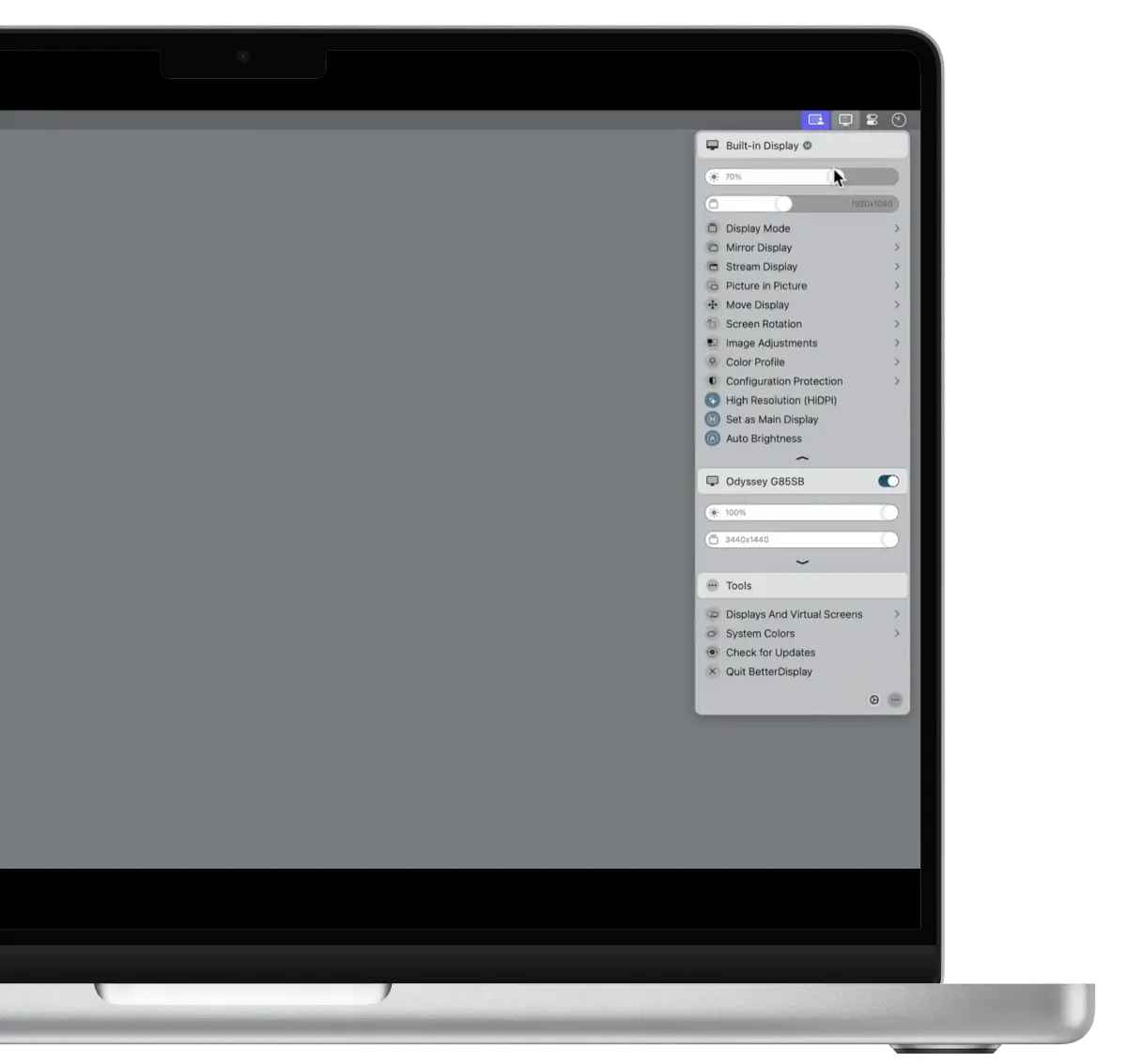
BetterDisplay was designed to offer you complete control over how your screens look and perform.
Like, if you are tired of dealing with awkward scaling or missing HiDPI options, especially on Apple Silicon, then it's for you. It allows you to unlock true HiDPI scaling, adjust brightness and colors. You can customize the settings without any limitations of the macOS built-in systems. However, you can also create virtual displays for flexible workflows. You will be happy to know that it also works with different devices. For example, you can use it on external monitors, TVs, or headless setups.
BetterDisplay turns your Mac into a fully customizable display and improves your viewing experience. Due to its simple interface and navigation, everyone can use it. Designers are using it to get sharp HiDPI visuals. Additionally, developers who work on multiple screens use it to improve their work efficiency.

With this feature, you can control display settings using commands or scripts. So, it makes automation and repetitive tasks much easier for everyone.
With these amazing features, the Better Display can adjust the brightness of your system by detecting the surrounding lights. It basically reads your Mac's ambient light sensor to help adjust brightness.
If you download the BetterDisplay app on devices that are compatible with XDR and HDR displays, then you can adjust brightness. So, it allows your screen to adjust colors and other settings despite any standard macOS limits.
The better display app is also suitable for remote work, screen mirroring, or multi-display setups. This is because you can create virtual screens with custom resolutions and share them with others easily.
With the Picture-in-Picture mode, you can easily multitask and improve your productivity. As this app allows you to view any display in a small floating window, it makes work management smooth.
Another exciting feature of Better Display is that it allows you to run your Mac without connecting a monitor. This is because it still offers you high resolution and clear display modes on your Mac.
Normally, taking screenshots or zooming out the screen causes blurriness and reduces the picture quality. But this app does not affect the macOS zoom and screenshot quality. So, you can easily save screen recordings, screenshots without any screen blur effect.
You can also set your iPad as a second screen display by using the Better Display app. However, to improve the display, you can also change and fine-tune Sidecar screen resolution.
Perfect for getting started and fixing the most common macOS display limitations.
 Basic HiDPI scalingResolution overridesDDC monitor controlsCore display customization
Built for professionals and power users who want complete control.
 Full HiDPI & flexible scalingVirtual displays & PIP viewsExtra HDR/XDR brightnessAdvanced EDID & automation tools
Try Pro free for 14 days. One-time purchase.
No subscription.
Mac randomly rearranges your screens, which disturbs your working.
So, you can turn on the layout protection to stop unwanted screen movements.

macOS Ventura (13.2+) and newer

Apple Silicon & Intel Macs

External monitors, built-in displays,
HDR/XDR supported screens
Pick the build that suits your setup. Older releases remain available.
Released Oct 6, 2026
Updated Oct 6, 2026
27.9 MB · macOS .dmg
Download v5.1.1Download an earlier build if you need it for compatibility.
First of all, you should open your Safari browser and download the app. Open Better Display from Applications. You will receive a confirmation option, so click Open to confirm.
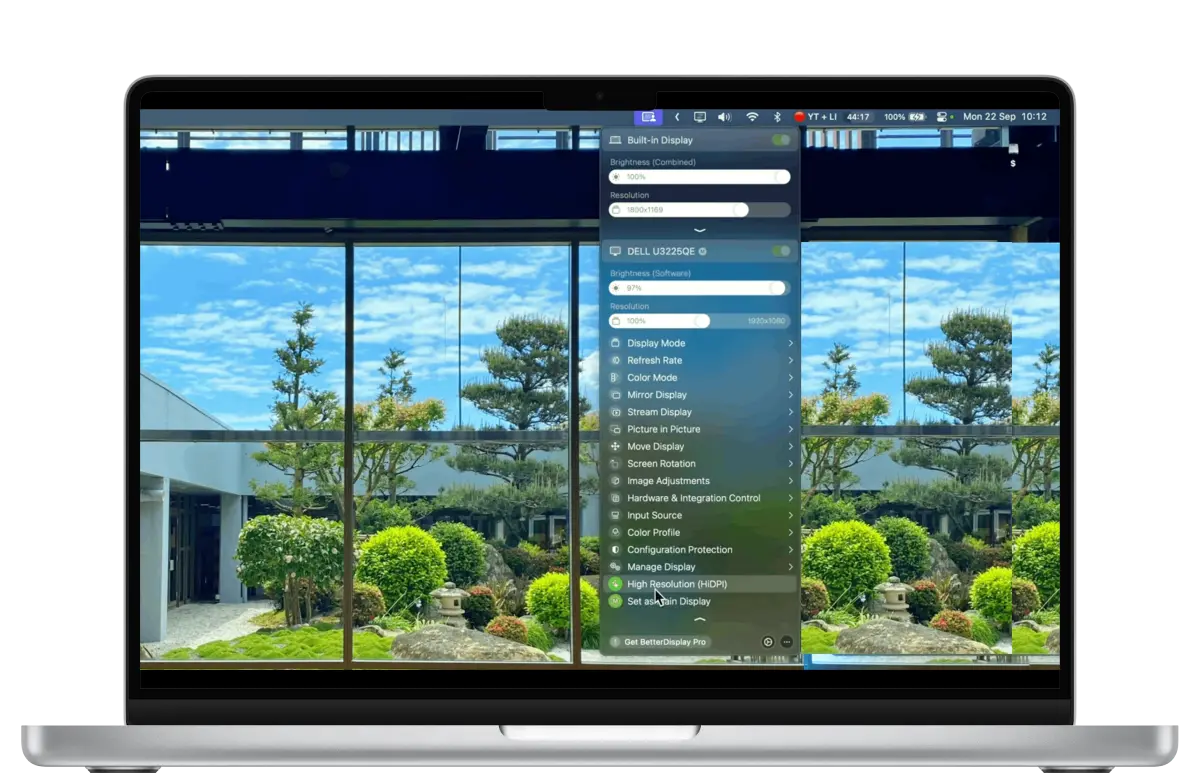
BetterDisplay lives quietly in your menu bar, giving you instant access to all display controls whenever you need them.
Select any screen and adjust scaling, resolution, brightness, HDR behavior, refresh rate, color settings, and more — all in real time.
Changes apply instantly. Enjoy sharper text, smoother visuals, and a display setup that finally feels right.
For users who run Delta Executor inside an emulator, these display improvements may make the overall desktop experience more comfortable.
Yes, this display management tool has an active user community on platforms like Discord, GitHub and forums. Users share their real-time experiences, tips and solutions on these platforms.
Yes, this display app allows you to flip or mirror your Mac display for teleprompters, presentations, or other creative setups.
Of course! By using this app, you quickly adjust refresh rates and rotate displays directly from the menu bar.
Yes, from the settings of the app, you can adjust the sleep and wake functions easily.
Mac has better screen display and graphics. But sometimes, users often get frustrated with the
same old settings and want to improve the screen visuals. In this situation, BetterDisplay is the suitable option as it allows you to adjust the screen settings to give you a better experience. No doubt with the optimum adjustment of screen clarity, brightness, and resolution, you can enhance your work productivity.
Free to Start · Pro Features Available